

About
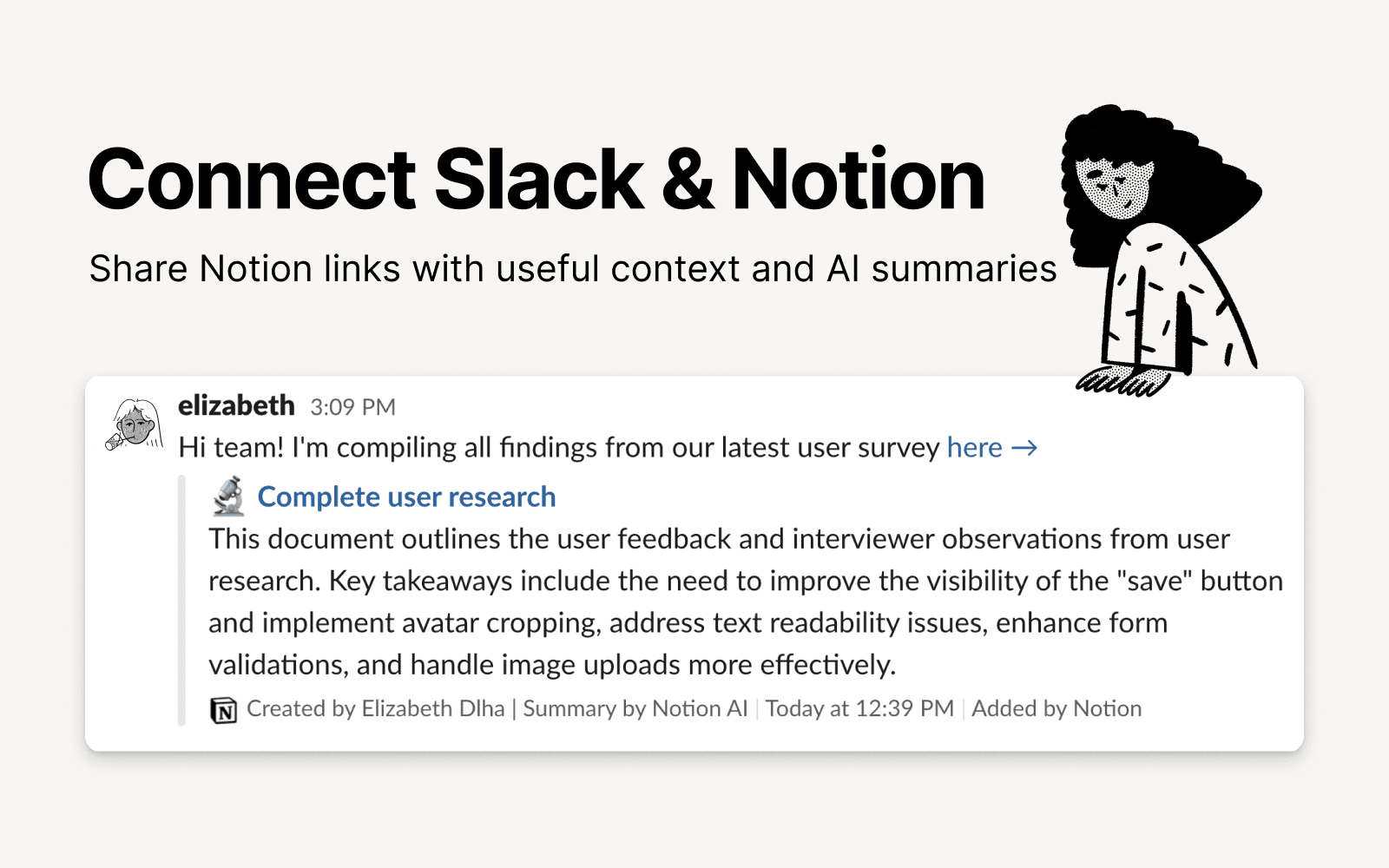
Slack is the productivity platform that connects people to the information they need. With Notion's integration for Slack, your team can seamlessly send messages to a Notion database, receive notifications in Slack, and share links that expand with useful information and AI summaries to streamline workflows and boost your productivity.
ฟีเจอร์
- อ่าน แทรก และอัพเดทเนื้อหาอ่าน แทรก และอัพเดทหน้า ฐานข้อมูล และบล็อคที่แชร์กับการเชื่อมต่อนี้ได้
- อ่านและเพิ่มความคิดเห็นอ่านและเพิ่มความคิดเห็นในหน้าและบล็อคที่เข้าถึงได้
- ดูตัวอย่างลิงค์แสดงตัวอย่างลิงค์จากผลิตภัณฑ์นี้ให้เห็นข้อมูลชัดเจนแบบเรียลไทม์เมื่อวางไว้ใน Notion
How to use
To use Slack and Notion together, you’ll be offered the option to install the integration at the following places:
When you paste a link from Notion into Slack you’ll receive a prompt to
Connect NotionFrom the database's
…menu at the top right → selectAutomations→ when setting up the automation, after adding a trigger, selectSend Slack notification to...as your automated action → you’ll be prompted toConnect Slackand choose a channel destination for the notificationsWhen setting up personal notifications by going to
Settings & members→My notifications & settings→Slack Notifications→Add new account
Details
- ประสิทธิภาพการทำงาน
- การทำงานร่วมกัน
- การสื่อสาร